






With HDD Backup Utility, you can create backups of MFP setting information and hard disk data in case of risks to the MFP such as hardware failures, software failures, and disasters such as fires or earthquakes.
Media (NVRAM, HDD etc.) in the device is backed up to the PC as an image file, and the image file backed up in the PC is restored to media in the device.
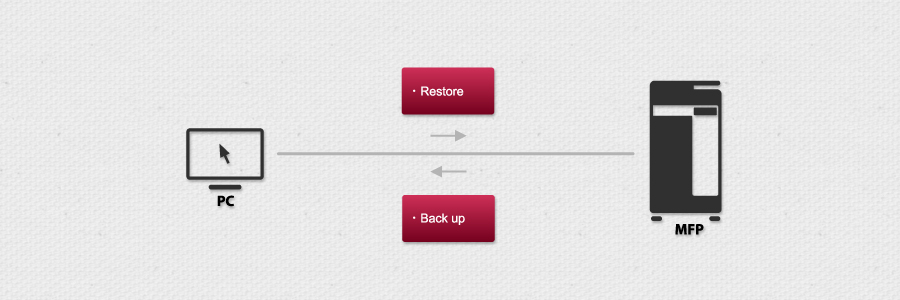

Restores MFP data by creating backups in a safe place beforehand in case of risks that causes them to be lost such as software problems, human error or disaster.


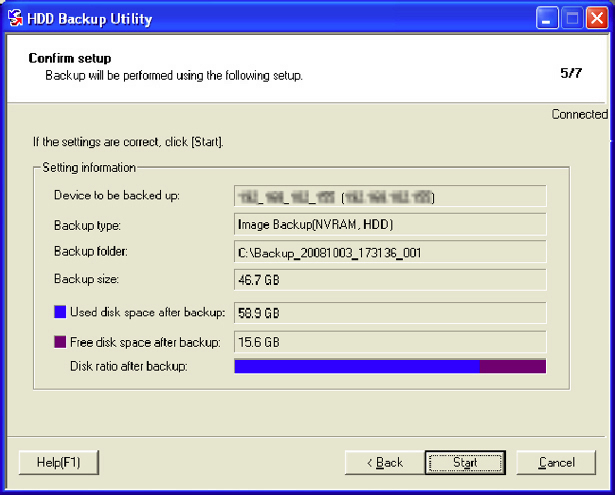

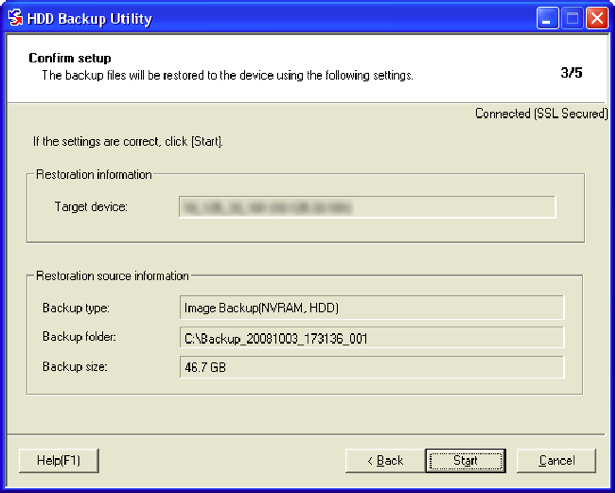


-
 Downloads ICC/ICM profiles to devices.
 As of September 30, 2017, new products finished dealing with Copy Protection Utility. In addition, provision and support of download ended on September 30, 2018.
 Specifies authentication setting, address book setting, network settings and more.
 Accesses, downloads and deletes files in the MFP Box from a networked PC.
 Creates installation packages for printer drivers.
 For downloading fonts and forms to devices.
 Creates backups of device setting information and hard disk data.
 Sends PDF/TIFF/TEXT/JPEG files directly to a device for printing.
 Centrally manages administrative operations of multiple devices.
 Complements the device audit log function by retaining the log over a longer term and browsing and searching it smoothly.
 A device-embedded web app that operates MFP funcitons from your PC.
  Resident in the user's PC task tray, this app monitors and notifies printing statuses of devices.
About This Site: This website provides software for output devices. The user will be responsible for the use of this website and the software after agreeing to terms in the Software End User License Agreement.